


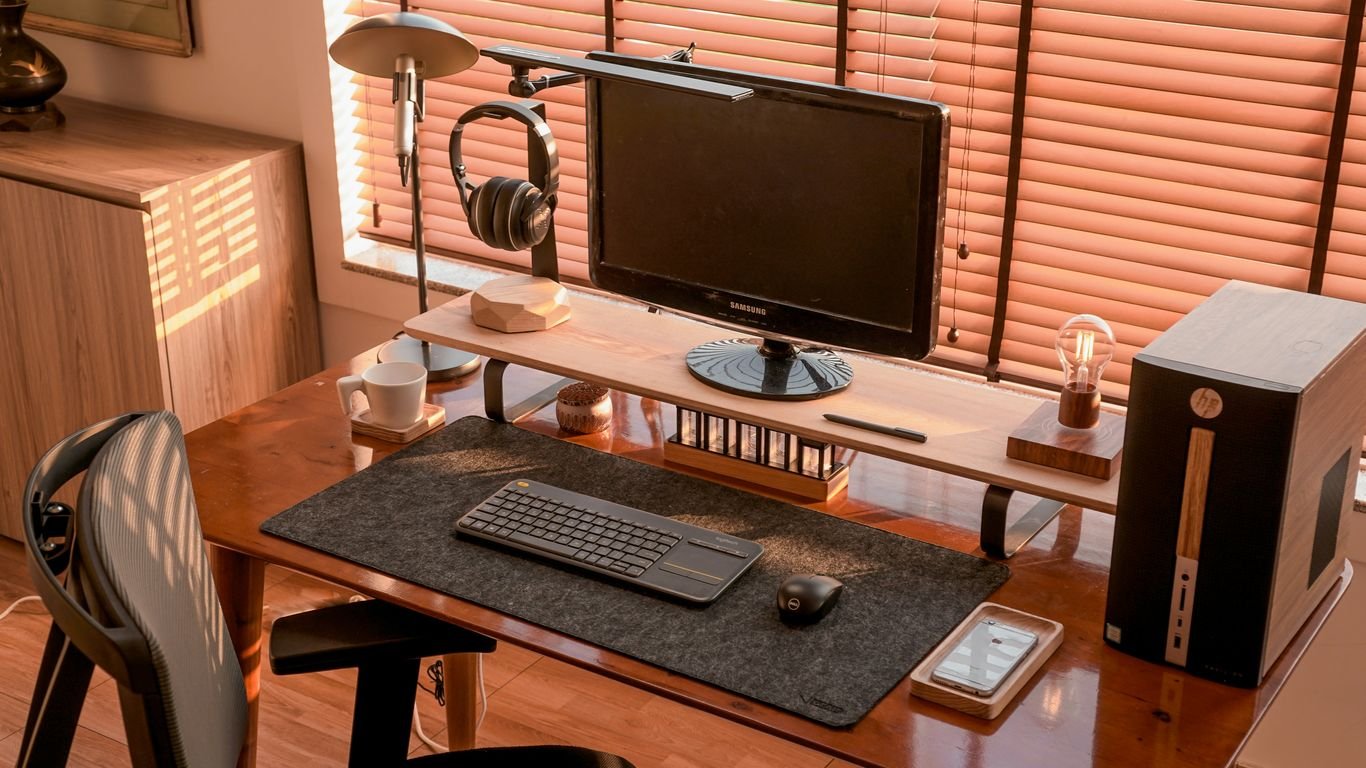

Best Desk Setups to Avoid Neck Pain in McDonough
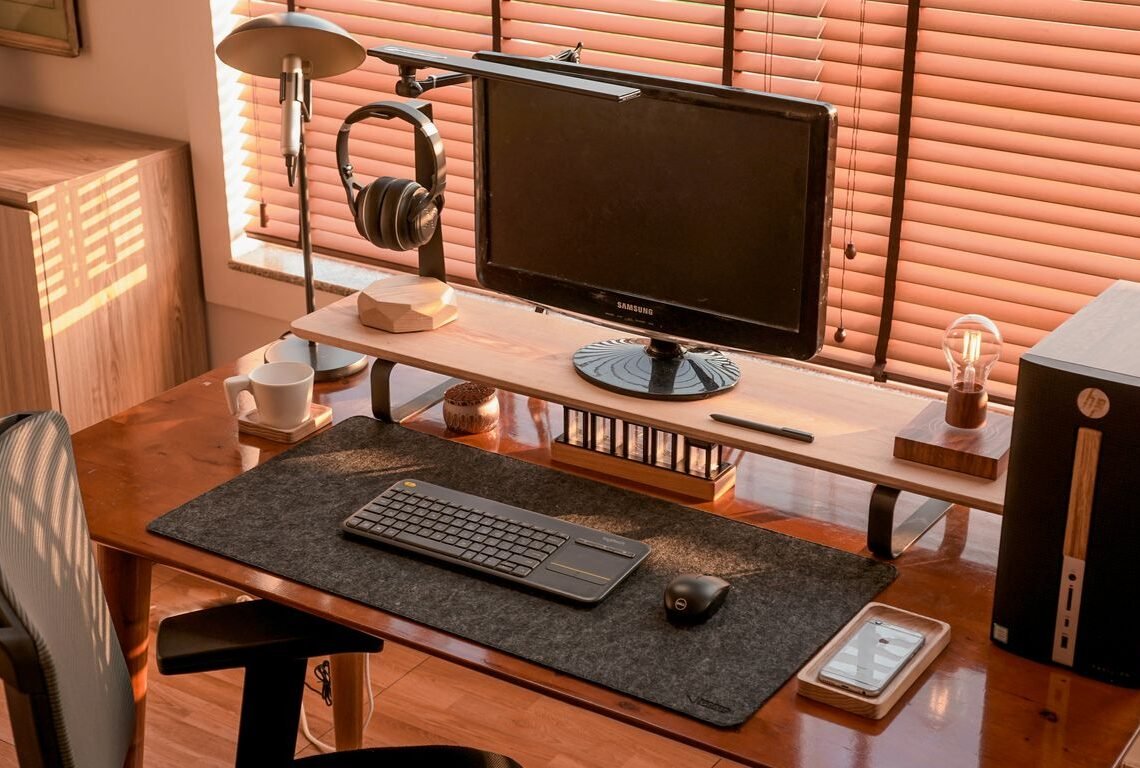
Spending too much time at a desk can really do a number on your neck. If you’re in McDonough and dealing with that familiar ache, you’re not alone. The good news is, a few simple changes to your workspace can make a world of difference. We’re talking about setting up your desk so it actually helps, instead of hurts, your neck. Let’s get your setup sorted so you can feel better while you work.
Table of Contents
ToggleKey Takeaways
- Adjust your monitor so the top is at or slightly below eye level, and keep it about an arm’s length away to prevent neck strain.
- Ensure your keyboard and mouse are close enough that your elbows can rest at a 90-degree angle with relaxed shoulders.
- Use a chair with good lumbar support or add a cushion/rolled towel to maintain the natural curve of your lower back.
- Take short breaks every 30-60 minutes to stand, stretch, and move around, which helps reduce muscle tension.
- If pain persists despite adjustments, consider consulting a chiropractor or pain management specialist for personalized advice.
Adjustable Lumbar Support
When you’re sitting at your desk for long stretches, your lower back can really take a beating. That’s where adjustable lumbar support comes in. It’s basically a way to give your spine a little extra help to maintain its natural curve. Think of it like a built-in hug for your lower back.
Getting this right means your spine stays in a more neutral position, which can cut down on a lot of that achy feeling. Without it, you tend to slouch, and that’s when the pressure really builds up.
Here’s why it’s a game-changer:
- Maintains Natural Curve: It helps keep the gentle inward curve of your lower spine, preventing it from flattening out or becoming exaggerated.
- Reduces Slouching: When your back is properly supported, you’re less likely to lean forward or collapse into your chair.
- Distributes Pressure: It helps spread the load across your back, rather than concentrating it all in one spot.
Many office chairs come with built-in adjustable lumbar support. You can usually move it up and down, and sometimes in and out, to find that sweet spot. If your chair doesn’t have it, don’t worry. You can often add a lumbar support cushion or even use a rolled-up towel or a small pillow to achieve a similar effect. The key is to find something that fills that gap between your lower back and the chair.
The goal is to create a supportive environment for your spine, allowing it to rest in a more natural alignment. This simple adjustment can make a surprising difference in how you feel after a long day at your desk.
Monitor Position
Getting your monitor set up right is a big deal for avoiding neck pain. You want it directly in front of you, not off to the side. Constantly looking sideways puts uneven strain on your neck and can even make your shoulder twist uncomfortably. The top of your screen should be at or slightly below eye level. This way, you’re looking slightly down, which is a more natural position for your neck.
Think about the distance, too. It shouldn’t be so close that you’re craning your neck forward, nor so far that you’re leaning in. A good rule of thumb is to place it about an arm’s length away. If you use multiple monitors, try to arrange them so you’re not constantly swiveling your head. Ideally, they should be side-by-side and angled slightly inward, forming a gentle arc in front of you. If one monitor is used much more than the other, place the primary one directly in front and the secondary one to the side, but be mindful of how much you’re turning.
Here’s a quick checklist for optimal monitor placement:
- Height: Top of the screen at or just below eye level.
- Distance: About an arm’s length away.
- Angle: Directly in front of you, minimizing head turning.
- Multiple Monitors: Arrange in a slight arc, with the primary one centered.
If you find yourself constantly adjusting your monitor or feeling a strain, it’s a clear sign that something needs to change. Don’t just live with the discomfort; take a moment to reposition it. Small adjustments can make a significant difference in how your neck feels throughout the day. It’s also worth considering monitor arms, which offer a lot more flexibility in positioning than standard stands, helping you achieve that perfect desk height setup.
Keyboard and Mouse Placement
Getting your keyboard and mouse positioned just right is a big deal for avoiding neck and shoulder strain. You don’t want to be reaching too far or hunching over.
The goal is to keep your arms and wrists in a neutral, relaxed position. This means your elbows should be bent at roughly a 90-degree angle, and your wrists should be straight, not bent up or down.
Here’s a quick rundown on how to set it up:
- Keyboard: Place it directly in front of you. If your desk is deep, you might need to push it closer so your forearms can rest comfortably on the desk surface or armrests. Avoid hovering your hands over the keys for long periods.
- Mouse: Keep it as close to the keyboard as possible. Ideally, it should be at the same level and distance from your body as your keyboard. If you find yourself reaching way out to the side, it’s time to adjust.
- Elbows: Aim for them to be close to your body, not sticking way out. This helps keep your shoulders relaxed.
Think about it like this: your keyboard and mouse should feel like natural extensions of your arms, not something you have to strain to use. If you’re constantly adjusting or feeling tension, your setup probably needs a tweak. Proper placement can make a huge difference in how your neck and shoulders feel after a long day at your desk.
Chair Height
Getting your chair height just right is a big deal for avoiding neck pain. It’s not just about comfort; it’s about setting up your whole workstation correctly. When your chair is at the right height, your feet should be able to rest flat on the floor, or on a footrest, with your knees bent at about a 90-degree angle. This position helps take pressure off your lower back and allows your arms to rest comfortably on your desk.
Here’s a quick check:
- Your thighs should be roughly parallel to the floor.
- Your feet should be fully supported, either by the floor or a footrest.
- Your elbows should be able to bend at around 90 degrees when your hands are on the keyboard.
If your chair is too high, your feet will dangle, putting strain on your legs and lower back. Too low, and you’ll find yourself hunching over, which is a fast track to neck and shoulder discomfort. It’s all about creating a balanced setup where your body is properly aligned.
Adjusting your chair height is one of the most straightforward ways to improve your posture at your desk. It’s a foundational step that impacts how the rest of your workstation should be configured. Don’t underestimate the power of this simple adjustment for long-term comfort and pain prevention.
Think about how your desk height interacts with your chair. Ideally, your desk should be at a height that allows your forearms to be parallel to the floor when you’re typing. If you have an adjustable desk, that’s fantastic. If not, you might need to consider desk risers or a different chair to achieve that perfect balance. Getting this right means you can relax your shoulders and avoid that forward head posture that causes so much trouble. It’s a key part of setting up an ergonomic workspace.
Footrest
When you’re sitting at your desk for long stretches, your feet should ideally be flat on the floor. But let’s be real, not everyone’s chair and desk setup allows for that perfect alignment. That’s where a footrest comes in handy. It helps maintain a more natural posture and takes pressure off your lower back and legs.
Think of it as a way to fine-tune your seating position, especially if your chair is a bit too high or your desk is a bit too low. It gives your feet a place to rest comfortably, which can prevent that restless leg feeling and improve overall circulation.
Here’s why a footrest can make a difference:
- Supports Proper Leg Angle: It helps you achieve a slight bend in your knees, around 90 degrees, which is more comfortable for longer sitting periods.
- Reduces Lower Back Strain: By allowing your feet to rest, it can indirectly help you sit up straighter and reduce the tendency to slouch, which puts less stress on your spine.
- Improves Circulation: Keeping your legs slightly elevated can help prevent blood from pooling in your lower extremities.
Not all footrests are created equal, and what works for one person might not work for another. Some are adjustable, allowing you to change the height and angle, which is great if you like to tweak your setup. Others are more basic. The key is to find one that feels right for you and helps you achieve a more relaxed and supported sitting posture.
Desk Height
Getting your desk height right is a pretty big deal when you’re trying to avoid neck pain. It’s not just about having a surface to put your stuff on; it’s about setting up your whole workstation so your body can relax. When your desk is at the correct height, your arms should be able to rest comfortably at about a 90-degree angle at the elbow when you’re typing. This position helps keep your shoulders from tensing up, which is a common culprit for neck and upper back discomfort.
Think about it: if your desk is too high, you’ll find yourself shrugging your shoulders all day. Too low, and you might be hunching over, straining your neck to see your screen. It’s a delicate balance, but getting it right makes a noticeable difference.
Here’s a quick way to check:
- Sit in your chair with your feet flat on the floor.
- Let your arms hang loosely at your sides.
- Adjust your chair height so that when you bring your forearms up to rest on the desk, your elbows are bent at roughly a 90-degree angle.
- If your desk is fixed, you might need to adjust your chair height to compensate. Sometimes, using a footrest can help achieve the right arm position if your chair can’t go low enough.
It’s also worth noting that adjustable desks are becoming more popular for a reason. They allow you to easily switch between sitting and standing, which can further help with posture and reduce strain. Finding the ideal ergonomic desk height for both sitting and standing positions is key to a healthier workspace. You want to be able to relax your shoulders and keep your wrists in a neutral position while typing.
The goal is to create a setup where your body is in a neutral, relaxed position. This means avoiding awkward angles and unnecessary tension. A properly adjusted desk height contributes significantly to this overall comfort and can help prevent those nagging aches and pains that creep up throughout the day.
Ergonomic Chair
When you’re spending hours at your desk in McDonough, the chair you sit in really matters. It’s not just about comfort; it’s about supporting your body properly to prevent all sorts of aches and pains, especially in your neck and back. An ergonomic chair is designed to adapt to your body’s natural shape and movements.
Think about what makes a chair truly supportive. It should encourage good posture without you having to constantly think about it. This means:
- Adjustable Lumbar Support: This is key. Your lower back has a natural inward curve, and a good chair will support that curve. If your chair doesn’t have built-in adjustable lumbar support, you can often add a cushion or even a rolled-up towel to achieve a similar effect.
- Seat Depth and Height: You should be able to sit all the way back in your chair with your feet flat on the floor (or on a footrest). Your knees should be roughly level with your hips, or slightly lower. The seat shouldn’t dig into the back of your knees.
- Armrests: These should be adjustable so your shoulders can relax. If the armrests force your shoulders up or prevent you from getting close to your desk, they’re not helping.
- Backrest Recline: A slight recline can take pressure off your lower back. You shouldn’t feel like you have to sit bolt upright all the time.
The goal of an ergonomic chair isn’t to force you into a rigid, "correct" posture. Instead, it’s about providing support that allows you to maintain a comfortable, neutral position for longer periods. This reduces strain on your muscles and spine, making a big difference in how you feel at the end of the workday.
Finding the right chair might take some trial and error, but investing in one that fits you well can seriously cut down on neck and back discomfort.
Lumbar Support Cushion
Sometimes, the chair you’re using just doesn’t have enough built-in support for your lower back. That’s where a lumbar support cushion comes in handy. These aren’t just fancy pillows; they’re designed to fill that gap in your chair and encourage a more natural curve in your spine. Getting this right can make a huge difference in how your back feels after a long day.
Think of it like this: when you sit, gravity naturally pulls your spine into a slouched position. A good lumbar cushion pushes your lower back forward just enough to counteract that, helping you sit up straighter without feeling like you’re forcing it. It’s a simple addition that can really help prevent that achy feeling.
Here’s what to look for:
- Material: Many are made from memory foam, which molds to your shape. Others might be firmer, offering more rigid support. Some people prefer a firmer cushion, like the McKenzie Lumbar Roll, which is often recommended for back pain.
- Shape: Some are curved to fit the natural C-shape of your spine, while others are more rectangular. Experiment to see what feels best for you.
- Adjustability: Some cushions come with straps to secure them to your chair, so they don’t slip down. This is super important for consistent support.
Using one is pretty straightforward. You just place it in the curve of your lower back, making sure it feels comfortable and supportive. You might need to adjust its position a few times to find that sweet spot. It’s a small change that can lead to big relief, especially if you spend a lot of time at your desk. If you’re looking for a simple way to improve your seating comfort, a lumbar support cushion is definitely worth considering.
Rolled Towel

Sometimes, the simplest solutions are the best, and that’s definitely true for using a rolled towel to help with your posture. It’s a super low-tech way to give your lower back some much-needed support when you’re sitting at your desk.
Think about it: when you sit for long periods, your back naturally tends to round. A rolled towel, placed right in the curve of your lower back, acts like a gentle nudge, reminding you to sit up straighter. It helps maintain that natural inward curve, which is key for preventing slouching and the neck pain that comes with it.
Here’s how to set it up:
- Grab a towel: A standard bath towel works well. If you want something firmer, try a hand towel.
- Roll it up: Tightly roll the towel lengthwise. You want it to be firm enough to provide support but not so stiff that it’s uncomfortable.
- Position it: Place the rolled towel in the small of your back, right where the curve is. It should feel snug and supportive.
- Adjust as needed: You might need to experiment a bit to find the perfect spot. It shouldn’t feel like it’s pushing you too far forward, just gently encouraging good posture.
This simple trick can make a surprising difference in how long you can sit comfortably without feeling that familiar ache creeping into your neck and shoulders. It’s a great alternative if you don’t have an adjustable chair or a fancy lumbar support cushion. Plus, you probably already have one lying around the house!
Stability Ball
You might have seen those big inflatable balls in gyms, and sometimes people use them as chairs at their desks. The idea is that sitting on one makes you engage your core muscles to stay balanced. This can be good for your posture and can help strengthen your back and abs.
However, using a stability ball as your primary desk chair for extended periods isn’t always the best idea for avoiding neck pain. While it forces you to use your core, it can also lead to slouching if you’re not actively engaging your muscles the whole time. Plus, it doesn’t offer the kind of back support that a good ergonomic chair does, which is really important for preventing strain.
If you want to try it out, here are a few things to keep in mind:
- Start slow: Don’t sit on it all day right away. Try it for 30-minute intervals and see how your body feels.
- Proper inflation is key: The ball should be firm enough that your hips are slightly higher than your knees when you sit. Too soft and you’ll sink in, too firm and it’ll be uncomfortable.
- Take breaks: Even on a stability ball, you need to get up and move around. Don’t just sit there for hours on end.
It’s more of a tool for short bursts of active sitting or for incorporating some movement into your workday, rather than a full-time replacement for a supportive chair. Think of it as a way to add variety, not a permanent solution for long-term comfort.
While the core engagement is a plus, the lack of consistent back support can be a drawback for prolonged sitting. It’s best used intermittently to encourage movement and core activation, rather than as a sole seating solution throughout the entire workday.
Memory Foam Pillow
When you’re trying to sort out your desk setup to stop neck pain, don’t forget about what you use when you’re not at your desk. Your pillow, especially during sleep, plays a pretty big role. A good memory foam pillow can really make a difference in how your neck feels when you wake up.
Think about it: if your pillow doesn’t support the natural curve of your neck, you’re basically asking for trouble. Your neck gets all twisted and strained overnight, and then you come to work feeling stiff. Memory foam is great because it molds to your shape, giving you that custom support. It doesn’t just flatten out like some older pillow types might.
Here’s a quick rundown on why they’re a good idea:
- Adapts to You: It contours to your head and neck, keeping things aligned.
- Even Support: It distributes your weight evenly, so there aren’t any weird pressure points.
- Durable: Generally, they hold their shape longer than other pillows.
Choosing the right pillow isn’t just about comfort; it’s about actively helping your neck recover and prepare for the day ahead. A pillow that keeps your spine in a neutral position while you sleep is just as important as your chair height when you’re sitting at your desk.
Cervical Pillow
When you’re trying to sort out desk setups to keep your neck happy, don’t forget about what you do when you’re not at your desk. Your pillow, especially during sleep, plays a big part in how your neck feels. A cervical pillow is designed specifically to support the natural curve of your neck. Think of it like a little cradle for your neck, helping to keep everything aligned while you rest.
These pillows often have a special shape, maybe a dip in the middle for your head and raised edges to support your neck. This helps prevent your neck from bending at weird angles all night, which can lead to stiffness and pain when you wake up.
- Look for a pillow that matches your typical sleep position. Side sleepers might need a thicker pillow, while back sleepers might prefer something a bit flatter.
- Consider the material. Memory foam is popular because it molds to your shape, but some people prefer latex or other materials.
- Give it time. It might take a few nights to get used to a new pillow, so don’t give up on it too quickly.
Using a cervical pillow can make a noticeable difference in how you feel when you first get out of bed. It’s a simple change that can help reduce that morning neck ache.
Choosing the right pillow is more than just comfort; it’s about actively supporting your neck’s natural alignment during rest. This proactive approach can significantly reduce strain and prevent pain from building up overnight, setting you up for a more comfortable day.
Heat Wrap
When your neck feels stiff and achy, a heat wrap can be a real game-changer. It’s not just about slapping on a heating pad; think of it as a little at-home spa treatment for your neck. Applying gentle warmth helps to relax those tight muscles that have been holding onto tension all day. It also gets the blood flowing better in the area, which can help with healing and just make things feel less… stuck.
Here’s how to make the most of it:
- Choose your heat source: You can use a microwavable heat pack, a warm, damp towel, or even a specialized neck heat wrap. Just make sure it’s not too hot to avoid burning your skin.
- Timing is key: Aim for about 15 to 20 minutes of heat application at a time. Any longer, and you might risk irritating your skin or not getting the full benefit.
- Relax while you heat: This is the perfect excuse to just sit back for a bit. Put on some calming music, read a book, or just close your eyes. Let the warmth do its thing while you de-stress.
Using a heat wrap isn’t just about physical relief; it’s also a moment to pause and take care of yourself. It’s a simple way to add a bit of comfort and self-care into your day, especially when you’re spending a lot of time at your desk.
The goal is to soothe those tight muscles and encourage better blood flow, making your neck feel more comfortable and less strained. It’s a pretty straightforward method, but it can make a noticeable difference when you’re dealing with that desk-job stiffness.
Ice Pack
When your neck feels really sore and inflamed, an ice pack can be a good go-to. It helps numb the pain and bring down swelling, especially if the discomfort is pretty new.
Here’s how to use it effectively:
- Wrap it up: Always put a cloth or towel between the ice pack and your skin. You don’t want to get frostbite, which is definitely not fun.
- Timing is key: Try applying the ice for about 10 to 15 minutes at a time. You can do this every few hours, particularly in the first day or two after the pain starts.
- Targeted relief: You can use a store-bought ice pack, a bag of frozen veggies, or even a damp towel you’ve frozen and then wrapped in a soft cloth. This last one is pretty neat because it molds to your neck.
Using cold therapy can really help calm down that sharp, angry feeling in your neck. It’s a simple way to get some relief when things feel particularly tender.
It’s not a cure-all, but for that immediate, achy feeling, an ice pack is a solid choice to have in your pain-relief arsenal.
Tennis Ball
You know, sometimes the simplest things can offer a bit of relief. A tennis ball might seem like just a toy, but it can be surprisingly useful for easing some of that tight neck and shoulder tension. It’s all about applying gentle pressure to those sore spots.
Here’s how you can use it:
- Against a Wall: Stand with your back to a wall and place the tennis ball between the wall and your upper back or shoulder blade. Gently lean into the ball, moving your body to roll it over tight areas. You can also do this for your neck by lying on the floor with the ball under your neck, being careful not to press directly on your spine.
- Under Your Feet: If you’re experiencing foot pain or tightness that might be contributing to overall body tension, you can roll a tennis ball under your foot while sitting at your desk. This can help release tension that travels up your legs.
- Self-Massage Tool: For those hard-to-reach knots in your upper back, the tennis ball can act as a DIY massage tool. Just position it between your back and your chair, then shift your weight to work out the kinks.
It’s a pretty low-cost way to get some targeted relief. Just remember to be gentle and listen to your body. If anything feels wrong, stop. For more ideas on managing neck pain with simple exercises, you might find some helpful techniques in articles about managing cervicogenic headaches.
This method is best for minor aches and pains. It’s not a substitute for professional medical advice or treatment, especially if you have a serious injury or chronic pain. Always consult with a healthcare provider if you’re unsure.
Massage Ball
Sometimes, those tight spots in your neck and shoulders just need a little extra attention. That’s where a massage ball comes in handy. It’s basically a small, firm ball, often made of rubber or dense foam, that you can use to apply direct pressure to those achy muscles. Think of it as a portable, do-it-yourself deep tissue massage.
Using a massage ball is pretty straightforward. You can place it between your shoulder blade and your spine, or even between your neck and a wall, and then gently move your body to roll over it. This helps to work out knots and release tension that can build up from sitting at a desk all day. It’s not always the most comfortable feeling in the moment, but the relief afterward is usually worth it.
Here are a few ways to use a massage ball for neck and shoulder relief:
- Targeting the Upper Back: Sit in a chair and place the ball between your shoulder blades and the chair back. Lean back into it and roll slowly side to side, or up and down, to find tender spots.
- Neck Release: Lie on your back with the ball placed gently under your neck (avoiding direct pressure on your spine). You can make small movements with your head to roll the ball around.
- Shoulder Blade Area: Stand with your back against a wall and place the ball between your shoulder blade and the wall. Move your body to roll the ball over the area.
It’s important to listen to your body when using a massage ball. You want to apply enough pressure to feel like you’re working the muscle, but not so much that it causes sharp pain. If you hit a really tender spot, try holding the pressure there for a bit until it starts to release.
While a massage ball can be a great tool for self-care, it’s not a replacement for professional medical advice. If you have persistent or severe neck pain, it’s always best to consult with a doctor or physical therapist to figure out the best course of action for your specific situation.
Foam Roller
When you’re stuck at a desk for hours, your muscles can get pretty tight, especially in your back and shoulders. A foam roller might seem like something for the gym, but it can be a surprisingly useful tool right at your workspace. Think of it as a way to give yourself a mini-massage to loosen things up.
Using a foam roller isn’t complicated, but you do need to be gentle. The goal is to release tension, not to cause more pain.
Here’s a simple way to use it at your desk:
- For your upper back: Sit in your chair and place the foam roller behind your back, between your shoulder blades. Lean back gently against it. You can then slowly roll up and down, or side to side, to target tight spots. Be careful not to roll directly on your spine.
- For your neck: You can carefully use a smaller, softer foam roller or even a tennis ball for your neck. Sit with the roller between your neck and the back of your chair, and gently move your head side to side.
- For your lower back: While sitting, you can place a foam roller on the floor and gently roll your lower back over it. Make sure your feet are flat on the floor and you’re supporting yourself.
It’s a good idea to do this for just a few minutes at a time, maybe once or twice a day. It can really help to break up that stiffness that comes from sitting too long.
Remember, a foam roller is a tool for muscle release. If you have any serious pain or injuries, it’s always best to check with a doctor or physical therapist before trying something like this. It’s meant to help, not hurt.
Water Bottle
It might sound a little odd to talk about a water bottle when we’re focused on desk setups and avoiding neck pain, but hear me out. Staying hydrated is actually pretty important for keeping your body, including your neck and back, happy.
When you don’t drink enough water, things can get a bit… stiff. Your muscles and the little cushions between your vertebrae can get dry and less flexible. This can make you feel more achy and less able to move comfortably throughout the day. Keeping a water bottle within easy reach is a simple way to remind yourself to sip throughout the day.
Here’s why it matters:
- Lubrication: Water helps keep your joints and spinal discs lubricated, allowing for smoother movement.
- Muscle Function: Dehydration can lead to muscle fatigue and cramps, which can affect your posture and put extra strain on your neck.
- Waste Removal: Proper hydration helps your body flush out waste products that can contribute to inflammation.
Think of it like this: your body is a complex machine, and water is the oil that keeps everything running smoothly. If you’re constantly running on empty, even the best ergonomic setup won’t feel completely comfortable.
So, grab a reusable water bottle, fill it up, and keep it close by. It’s a small habit that can make a surprising difference in how you feel at the end of a long day at your desk.
Anti-Inflammatory Foods
What you eat can really make a difference when it comes to inflammation, and that’s definitely true for neck pain. Think of your body like a car – you want to put in the good stuff to keep it running smoothly. Certain foods can help calm down that internal inflammation that might be making your neck feel stiff or achy.
Focusing on a diet rich in anti-inflammatory foods can be a game-changer for managing discomfort.
Here are some food groups that are generally good for fighting inflammation:
- Fatty Fish: Salmon, mackerel, and sardines are packed with omega-3 fatty acids, which are known for their anti-inflammatory properties. Try to get some of these in a few times a week.
- Berries: Blueberries, strawberries, raspberries – these little powerhouses are loaded with antioxidants that help combat inflammation. They’re great in smoothies or just as a snack.
- Leafy Greens: Spinach, kale, and collard greens are full of vitamins, minerals, and antioxidants. They’re super versatile and can be added to almost any meal.
- Nuts and Seeds: Almonds, walnuts, flaxseeds, and chia seeds provide healthy fats and antioxidants. A small handful can be a good way to get some benefits.
- Turmeric and Ginger: These spices aren’t just for flavor; they have potent anti-inflammatory compounds. Adding them to your cooking can be a tasty way to help your body.
It’s also a good idea to cut back on things that can increase inflammation, like processed foods, sugary drinks, and excessive amounts of red meat. Making these dietary shifts might take a little effort, but the payoff in feeling better can be pretty significant.
Deep Breathing Exercises
When you’re stuck at your desk for hours, it’s easy to forget about your breathing. But did you know that taking a few moments to focus on your breath can actually help with neck pain? It sounds a bit out there, but stress really tightens up those muscles in your neck and shoulders. When you’re stressed, you tend to breathe shallowly, which doesn’t help much. Taking slow, deep breaths signals to your body that it’s okay to relax.
Think about it: when you’re tense, your shoulders might creep up towards your ears, and your jaw gets clenched. Deep breathing helps reverse that. It gets more oxygen into your system, which can calm your nervous system and ease that muscle tension. It’s like a mini-reset button for your body and mind.
Here are a few simple ways to incorporate deep breathing into your workday:
- Diaphragmatic Breathing: This is the fancy term for breathing with your belly. Place one hand on your chest and the other on your belly. As you inhale through your nose, try to make your belly rise more than your chest. Exhale slowly through your mouth. This is a really effective way to get more air in.
- Box Breathing: This one is super simple to remember. Inhale for a count of four, hold your breath for a count of four, exhale for a count of four, and then hold your breath again for a count of four. Repeat this cycle. It’s great for staying focused and calm.
- Alternate Nostril Breathing: This is a bit more involved, but very calming. You use your fingers to close off one nostril at a time while breathing. It’s said to balance energy and reduce stress.
Even just a few minutes of focused breathing can make a difference. Try doing it during a short break, or even while you’re waiting for a document to load. It’s a free and easy tool to help manage discomfort and keep your neck feeling better throughout the day. You can find more simple techniques for desk relief here.
It’s not about becoming a meditation guru overnight. It’s just about taking a moment to consciously breathe. You might be surprised at how much better you feel, not just in your neck, but overall.
Meditation
When you’re stuck at a desk all day, your mind can get just as stiff as your neck. Meditation might sound a bit out there, but honestly, it can really help. It’s not just about sitting cross-legged and chanting; it’s about taking a few minutes to just… be. This can calm down that constant tension you feel building up, especially in your shoulders and neck.
Taking even five minutes to focus on your breath can make a noticeable difference in your stress levels and how you perceive discomfort.
Think of it like this: your brain is also working hard, and sometimes it needs a break. Meditation gives it that pause. It helps you notice when you’re tensing up without even realizing it, so you can consciously relax.
Here are a few simple ways to get started:
- Focused Breathing: Just pay attention to your breath going in and out. If your mind wanders (and it will!), just gently bring your focus back to your breath. No judgment needed.
- Body Scan: Mentally go through your body, from your toes to the top of your head, noticing any sensations without trying to change them. Pay special attention to your neck and shoulders.
- Mindful Observation: Pick an object in your workspace – a pen, a plant, your mug – and just observe it for a minute or two. Notice its color, texture, shape. It’s a simple way to ground yourself.
Regular practice, even short sessions, can retrain your nervous system to be less reactive to stress. This means you might find yourself less prone to that tight, achy feeling in your neck after a long day at the computer. It’s a mental reset that has physical benefits.
Yoga
You know, sometimes the best way to deal with that nagging neck pain from sitting at your desk all day isn’t just about adjusting your chair or monitor. It’s about moving your body in ways that help it recover. Yoga is a fantastic option for this. It’s not just about fancy poses; it’s about gentle movement, stretching, and breathing that can really make a difference.
Think about it: when you’re hunched over a computer, your muscles get tight and your posture can really suffer. Yoga helps to gently lengthen those tight muscles and strengthen the ones that have become weak from disuse. Regular practice can improve your flexibility, build core strength, and help you become more aware of your body’s alignment. This awareness is key to preventing future pain.
Here are a few simple yoga-inspired movements you can try, even at your desk:
- Seated Cat-Cow: Sit tall with your hands on your knees. As you inhale, arch your back, draw your shoulders back, and lift your chest. As you exhale, round your spine, tuck your chin to your chest, and let your shoulders slump forward. Repeat this a few times to loosen up your back.
- Neck Rolls: Gently tilt your head towards one shoulder, then slowly roll it forward towards your chest, and then towards the other shoulder. Be super slow and mindful with this one, and avoid rolling your head all the way back if it feels uncomfortable.
- Shoulder Rolls: Lift your shoulders up towards your ears, then roll them back and down. This helps release tension that often builds up in the upper back and shoulders.
Even just a few minutes of these gentle movements can help reset your body and mind. It’s about finding ways to bring more mindful movement into your day, not necessarily about becoming a pretzel.
It’s easy to think that yoga requires a lot of space or special equipment, but that’s really not the case. Many poses can be adapted for a chair or even done standing. The focus is on connecting your breath with your movement and listening to what your body needs. Small, consistent efforts can lead to big improvements over time.
Calming Music
Sometimes, the best way to deal with that nagging neck pain isn’t about physical fixes, but about calming your mind. Stress really does a number on our muscles, especially in the neck and shoulders. It’s like they just tense up without us even realizing it.
Listening to music can be a surprisingly effective way to dial down that tension. Think about it: when you put on something you really like, something that just makes you feel good, your whole body tends to relax. It can shift your focus away from the discomfort and help your muscles loosen up.
Here are a few ideas for using music to help your neck:
- Nature Sounds: Think gentle rain, ocean waves, or a quiet forest. These sounds can be incredibly soothing and transport you away from your desk.
- Classical Music: Many people find instrumental classical pieces to be very calming. The structured melodies can create a peaceful atmosphere.
- Ambient Music: This genre is designed to create a mood or atmosphere, often with slow tempos and soft textures. It’s great for background listening without being distracting.
- Your Favorite Chill Playlist: Honestly, whatever music makes you feel relaxed and happy is the best choice. It doesn’t have to be a specific genre.
Creating a peaceful soundscape around your workspace can make a big difference. It’s not just about blocking out noise; it’s about actively introducing sounds that promote relaxation and reduce the mental load that often contributes to physical tension. Try setting up a playlist specifically for your work hours and see if it helps you unwind.
Walking

It might sound too simple, but just getting up and walking around can make a big difference for your neck and overall comfort. When you’re stuck at a desk for hours, your body gets stiff, and that’s a fast track to aches and pains. Regularly breaking up long periods of sitting with short walks can help alleviate that stiffness and improve blood flow.
Think about it: your body isn’t designed to stay in one position for too long. Walking gets your muscles moving, especially those in your back and legs, which can help take some of the strain off your neck. Even a quick five-minute stroll down the hall or around the office can reset your posture and give your eyes a break from the screen.
Here are a few ways to weave more walking into your day:
- Take the stairs: Whenever possible, skip the elevator. It’s a great way to get your heart rate up and work your leg muscles.
- Walk during calls: If you have a phone call that doesn’t require you to be at your computer, pace around while you talk. You’d be surprised how many steps you can rack up.
- Schedule walking breaks: Set a reminder on your phone or computer to get up and walk for a few minutes every hour or so. Treat it like an important meeting you can’t miss.
- Park farther away: If you drive to work, try parking a little further from the entrance. It adds a few extra minutes of walking to your commute.
Incorporating short bursts of walking throughout your workday can significantly reduce the negative effects of prolonged sitting. It’s not about running a marathon; it’s about consistent, gentle movement that keeps your body from seizing up.
Chiropractor
Sometimes, even with the best desk setup and all the ergonomic gadgets, neck pain just won’t quit. That’s when it might be time to think about seeing a chiropractor. They’re trained to look at your whole body’s alignment, not just your desk setup. If you’ve got persistent stiffness or pain that doesn’t seem to get better with adjustments you make yourself, a chiropractor can help figure out if there’s an underlying issue.
Think of it like this: your desk setup is like maintaining your car’s tires and oil. It’s important regular upkeep. But if your car’s alignment is way off, no amount of tire rotation will fix the pulling to one side. A chiropractor can help with that deeper alignment issue.
Here’s what they might do:
- Assessment: They’ll ask about your pain, your daily habits, and your work setup. They’ll likely do a physical exam to check your spine and posture.
- Adjustments: Using specific techniques, they’ll work to correct misalignments in your spine and joints. This isn’t always cracking and popping; there are many different methods.
- Advice: They often give advice on exercises, stretches, and posture to help you maintain the benefits of their treatment between visits.
Don’t wait too long if the pain is really bothering you. If your neck pain is affecting your sleep or making daily tasks tough, a chiropractor could be a good next step to get you feeling better.
Sometimes, the simplest adjustments at your desk aren’t enough to fix deeper issues. When pain lingers, professional help can make a significant difference in restoring comfort and function.
Wrapping It Up: Your Path to a Pain-Free Desk
So, we’ve talked a lot about how to make your desk setup work for you, not against you. It’s not about having the fanciest gear, but about making smart choices with what you have. Adjusting your chair, getting your monitor height right, and remembering to move are simple steps that can really add up. Don’t forget those little breaks – they’re like a mini-vacation for your neck and back. If you’ve tried these tips and still feel that nagging pain, it might be time to chat with a professional. Taking care of your body now means fewer problems down the road. Here’s to a more comfortable workday in McDonough!
Frequently Asked Questions
How can I set up my desk to avoid neck pain?
To keep your neck happy, make sure your computer screen is right at eye level and about an arm’s length away. Your keyboard and mouse should let your elbows bend at a 90-degree angle, with your wrists straight. Also, adjust your chair so your feet are flat on the floor and your lower back is supported. Little changes can make a big difference!
What's the best way to sit at my desk?
Try to sit back in your chair so your spine is supported. Your knees and hips should be at about a 90-degree angle, and your feet should be flat on the floor. If your feet don’t reach, use a footrest. It’s also good to keep your shoulders relaxed and not hunched over.
How often should I take breaks from my desk?
It’s really important to move around! Try to get up and stretch or walk for a few minutes at least every 30 to 60 minutes. Even short breaks help your muscles relax and keep your blood flowing, which is great for preventing stiffness.
Can my chair cause neck pain?
Yes, definitely! If your chair doesn’t offer good support, especially for your lower back, it can force you into bad positions that strain your neck and back over time. Look for a chair with adjustable lumbar support or use a rolled towel to help support your lower back.
Are there simple things I can do at home to help with neck pain?
Absolutely! Gentle stretches like chin tucks and shoulder rolls can help a lot. Applying a warm compress can soothe muscles, or an ice pack can reduce swelling if you’re feeling sharp pain. Staying hydrated and eating foods that fight inflammation, like fruits and veggies, also helps.
When should I see a doctor for neck pain?
If your neck pain is severe, doesn’t get better with home care, or if it starts to affect your daily activities, it’s a good idea to see a doctor or a pain specialist. They can figure out the cause and suggest the best treatment for you.